If a school uses one tool for live lessons, another for posts, another for assignments and another for messages to parents, the problem is not only technical. It is educational and organisational. The right remote learning platform for schools should not simply “work”. It should bring teaching, communication and progress tracking together in an environment that supports everyone’s daily life: management, teachers, students and parents.
Choosing a platform is no longer only about emergencies or remote operation. It is about how a modern school is organised when it wants to offer continuity of learning, whether that happens in the classroom, at home or in a blended model. That is where it becomes clear whether technology really strengthens teaching or adds yet another layer of complexity.
What a remote learning platform for schools must do
A good solution does not start from “features” but from the workflows of school life. Teachers need to upload material, organise a live lesson, assign activities, see who participated and answer questions without constantly switching apps. Management needs visibility, control and less administration. Parents want clear updates. Students need access without friction.
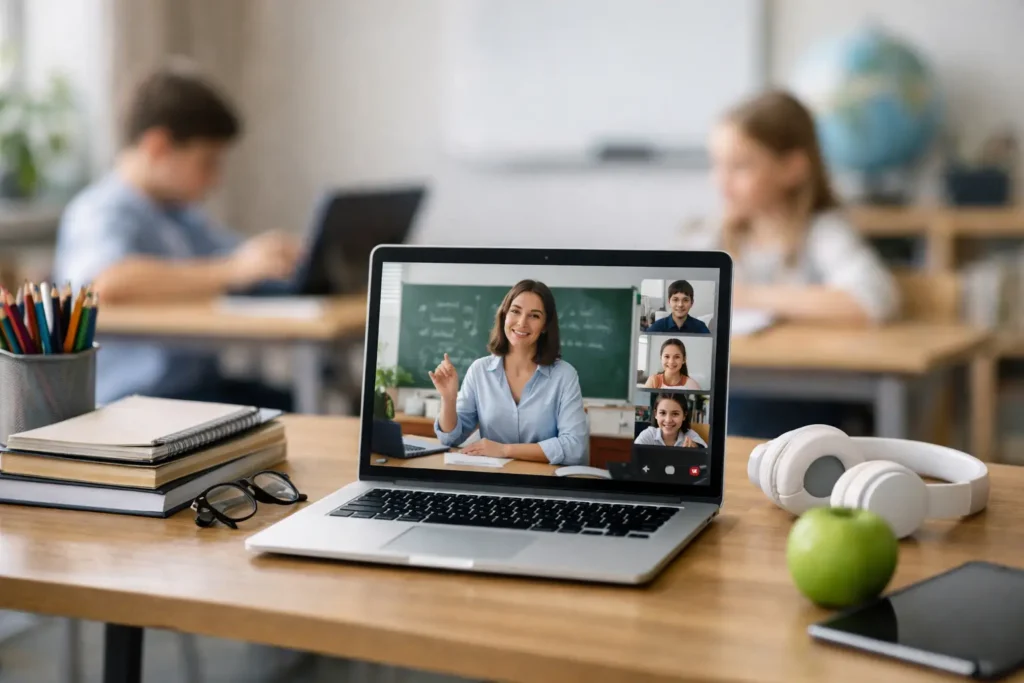
That is why a platform with real value for schools combines asynchronous and synchronous learning. Supporting video calls is not enough. It must also act as a central point for announcements, courses, exercises, tests, grading, files and communication. When these coexist in the same environment, the school gains coherence and loses less time.
A unified experience matters more than many tools
In practice, many schools have tried a “combination” of tools: one system for content, a video-conferencing platform, a chat for updates and a separate solution for assessments. At first this looks flexible. Soon, though, the gaps appear. Students do not know where to go first, teachers repeat instructions, management loses the overall picture and parents receive fragmented updates.
This is one of the key selection criteria. A single platform does not only reduce technical fatigue. It improves the consistency of the learning experience. When students find the course, the live session, assignments, results and support in the same place, they are more likely to stay active. The same goes for teachers, who can spend more time teaching and less coordinating tools.
Live teaching, but not only that
Remote learning is often equated with the live lesson. It is essential, but it is not enough. The school needs infrastructure that supports what happens before and after the live session. Before, with organised material, clear instructions and student preparation. After, with consolidation activities, feedback, participation tracking and access to revision content.
This matters especially in settings where students’ levels differ or where more flexibility is needed. A child who missed the lesson, a student who needs more time or a class working in a hybrid way cannot rely only on a live connection. They need continuity. A platform that connects live teaching with exercises, quizzes, files and communication meets exactly this need.
What school leadership looks at
For leadership, the right remote learning platform for schools must reduce operational complexity. This means easy user management, organisation by class or group, access control, central oversight and a clear picture of how the system is being used. If implementation requires constant technical intervention or repeated training for basic functions, adoption will remain superficial.
The ability to track is just as critical. Which students are participating? How often do they log in? Which activities are completed? Where are there delays? This data is not only valuable for reporting. It helps the school spot points of disengagement early and step in before a learning difficulty turns into non-participation.
What teachers really need
Teachers are not asking for “more technology”. They are asking for less friction. A platform is useful when it allows quick course organisation, simple creation of assignments and tests, clear feedback and easy class management. If every action takes many steps, technology ends up taking time away from teaching.
Features that strengthen differentiated learning are also useful, not in theory but in practice. Teachers need to be able to share material at different paces, revisit key concepts, use short quizzes to check understanding and support students between lessons. That is where the platform becomes a tool for educational continuity, not just a broadcast channel.
The student and parent experience is not secondary
In a school setting, a platform’s success is also judged by those who do not manage it. Students need a clean environment, easy navigation and access from a phone, tablet or computer without obstacles. When the experience is confusing, participation drops, especially at younger ages, where autonomy is limited.
For parents, the goal is visibility without overload. They do not need to follow everything, but they do need a clear picture of updates, deadlines and basic progress. Good communication strengthens the school-family relationship and limits the misunderstandings that arise when information travels through different channels.
Mobile access and everyday use
If a platform only works well on a desktop, it leaves out a significant part of reality. Many students and parents rely on their phone for immediate access, reminders and quick communication. The mobile experience is not an extra. It is part of core functionality.
This does not mean everything must be done on a phone. It does mean that critical actions, such as updates, joining a lesson, opening material, notifications and basic assignment submission, must be immediately available. The more naturally the platform fits into daily life, the more consistently it is used.
The role of AI in a remote learning platform for schools
Artificial intelligence is valuable when it reduces workload and improves support. Not when it is added as an impressive element without a clear use. In a school setting, an AI assistant can make it easier to access information, support navigation, answer basic questions and strengthen learning continuity outside school hours.
There is a limit, though, that must be taken seriously. AI does not replace the teacher or the school’s professional judgement. Its real value lies in support, not substitution. That is why the most mature platforms build in such capabilities in a way that is controlled, useful and understandable for all users.
How to evaluate a solution without being swayed by impressions
A proper evaluation does not happen only in a demo. You need to see how the platform works in real scenarios. Can a teacher set up a course quickly? Can a student find the material without a guide? Is there continuity between the live session, assignments, assessment and communication? Can management get a clear picture without depending on multiple reports?
Adoption support is also worth examining. Even a very good system fails when it is introduced carelessly. User training, clear initial configuration and ongoing support make the difference between a routine installation and real educational use.
An all-in-one solution such as Classware is valuable precisely because it treats learning as a continuous experience rather than a series of fragmented actions. This is especially critical for schools that want to move from simple digitisation to organised, measurable and more human digital education.
In the end, the best platform is not the one with the most buttons. It is the one that helps the school teach better, communicate more clearly and support every student more consistently, every day.