
AIAI Assistant, AI Chatbot and AI gamification

One platform. Many capabilities. A more efficient model of education.

Video conferencing, digital whiteboard, artificial intelligence, digital books, lesson recording and transcription. Synchronous and asynchronous learning in one unified environment, without multiple subscriptions and tools.

THE PROBLEM

Many tools mean many problems

Using a different solution for every need often means:

One platform for the live lesson, another for the whiteboard, another for the material…

…and every tool needs its own subscription, login and training.

Classware replaces them all.

One environment. One subscription. One login.

Video conferencing platform
Whiteboard app
Asynchronous learning system
Transcription tool
Separate AI tool
Material and book repository
6subscriptions
6logins
6trainings
Classware
One unified education ecosystem
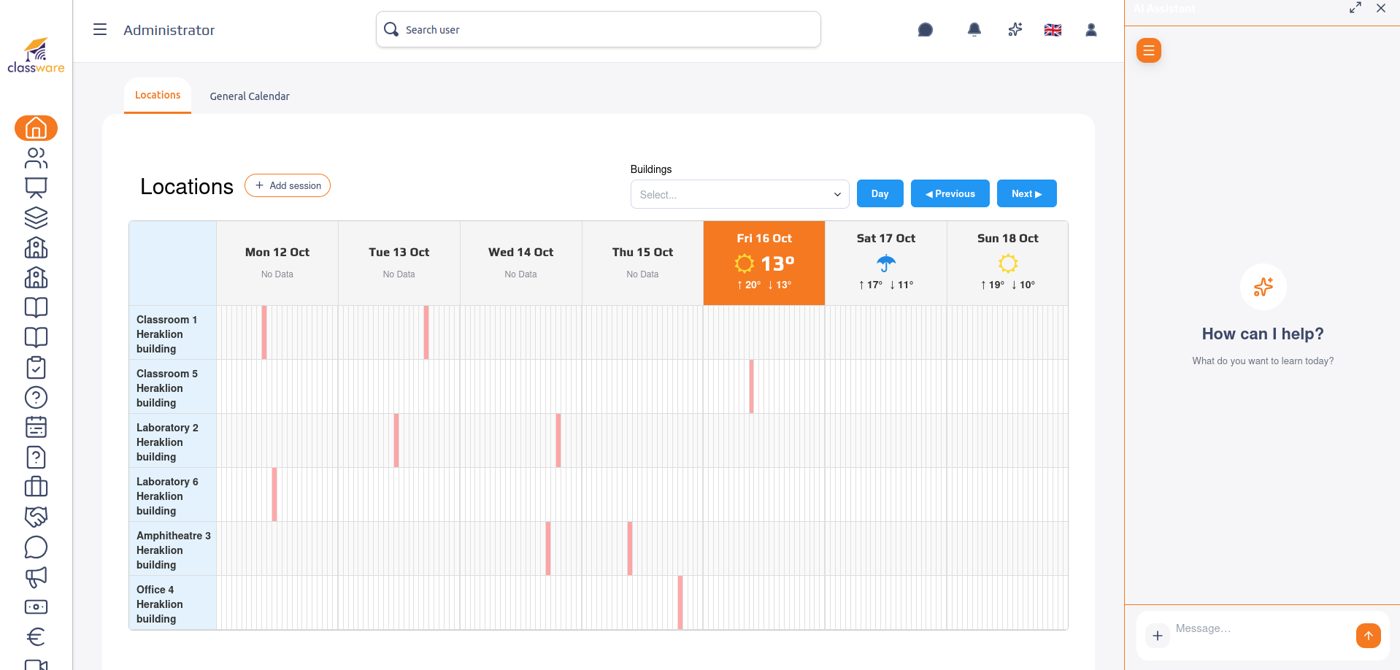
  1. The schedule, at a glance

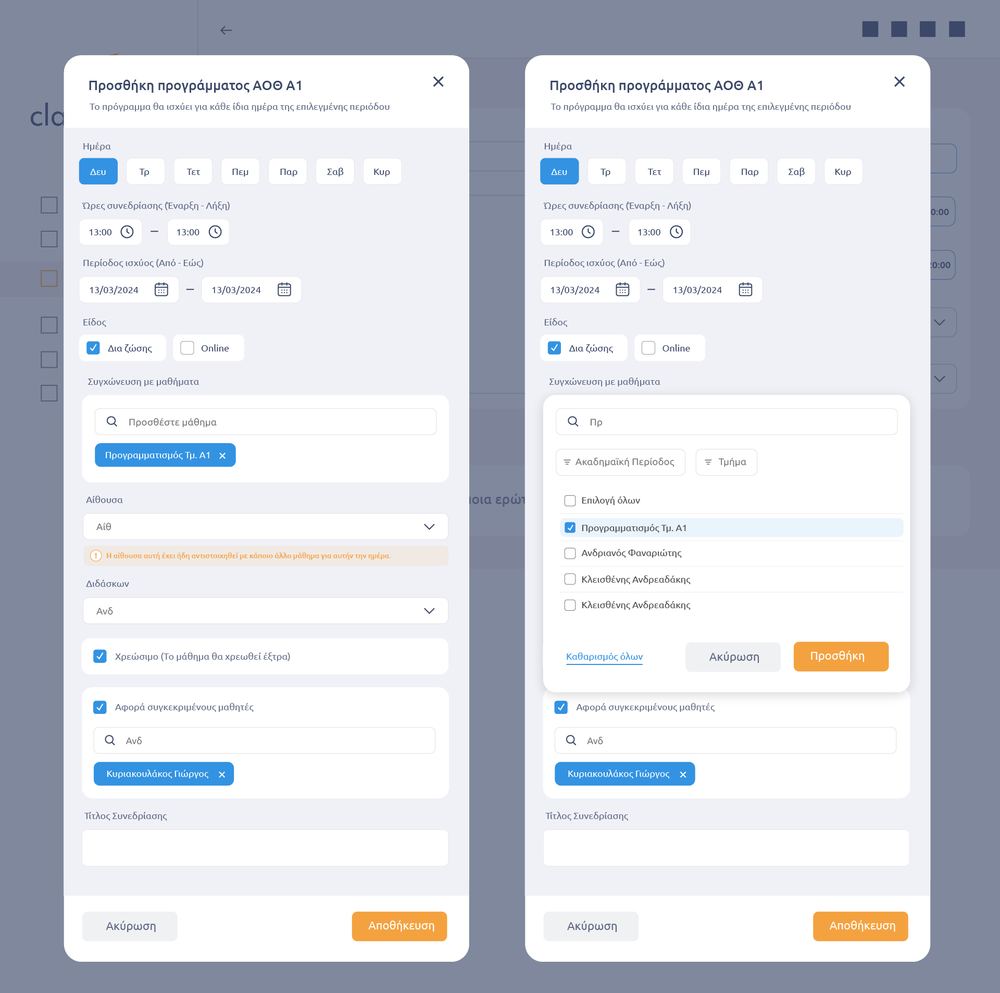
    Rooms, teachers and classes in one calendar. The platform spots overlaps before they become a problem.

    Time saved See the schedule
  2. One lesson, inside and outside the classroom

    Video conferencing, digital whiteboard and book on one screen. Students joining from home write on the same whiteboard as the class.

    A better learning experience See the hybrid classroom
  3. Revision as a game

    The teacher asks the AI for a game on today’s chapter. The class plays live and collects points.

    More possibilities with AI Play a game
  4. The lesson becomes material

    Recording, transcription and summary. Anyone who missed the lesson can watch it or read the key points.

    Every lesson stays available See the recordings
  5. Tuition and receipts, in the same system

    Instalments, outstanding payments and history per student. The receipt is issued in one click and transmitted to myDATA.

    Lower operating costs See the administration
  6. Aristos answers when the tutoring centre is closed

    The student asks about tomorrow’s homework and gets an answer from the class material.

    Support around the clock Meet Aristos

All of this with one account and one subscription.

See it in your own organisation

FEATURES

With Classware you get

From video conferencing and the digital whiteboard to artificial intelligence and digital books. All in one unified education ecosystem.

Tap a box for details and screenshots from the platform.

Built-in video conferencing

Lessons without a separate e-learning platform.

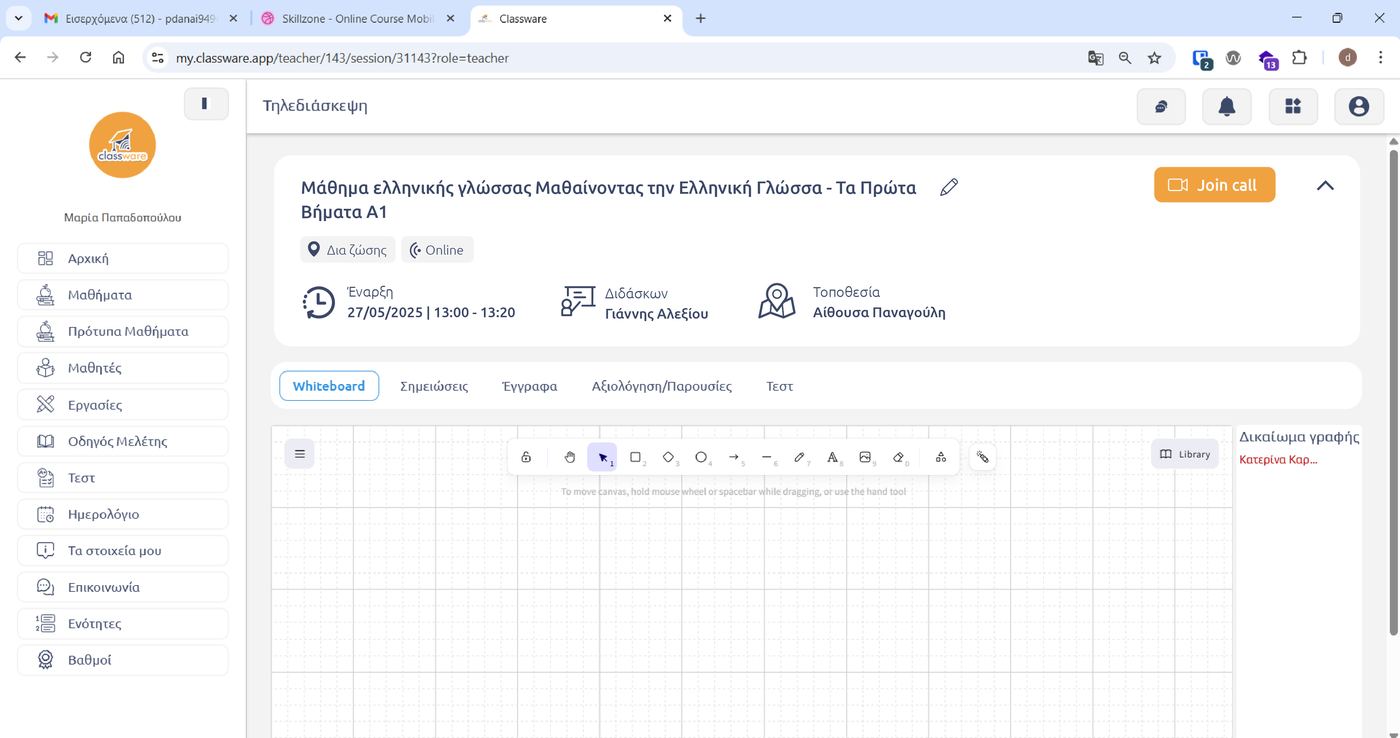
The lesson starts with one click from the schedule. Camera, microphone, screen sharing, hand raising and chat, on the same screen as the whiteboard and material.
See the hybrid classroom

The live lesson page
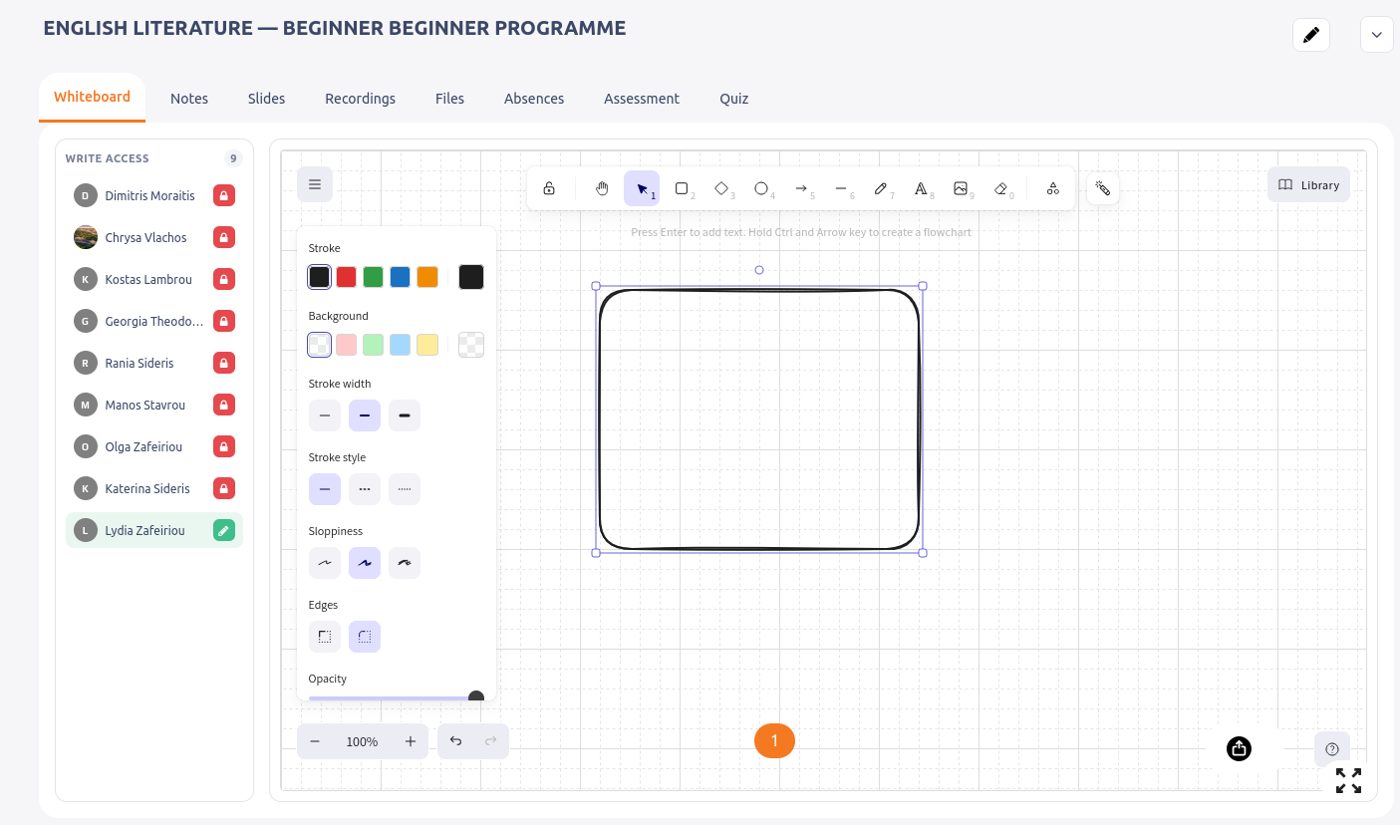
Whiteboard and writing permissions inside the lesson

Digital whiteboard

Interactive teaching and more effective lesson presentation.

Shapes, colours, text, images and a library of ready-made elements. The teacher gives writing rights to any learner, and everything written stays in the lesson.

See the whiteboard in the hybrid classroom
Writing permissions and drawing tools
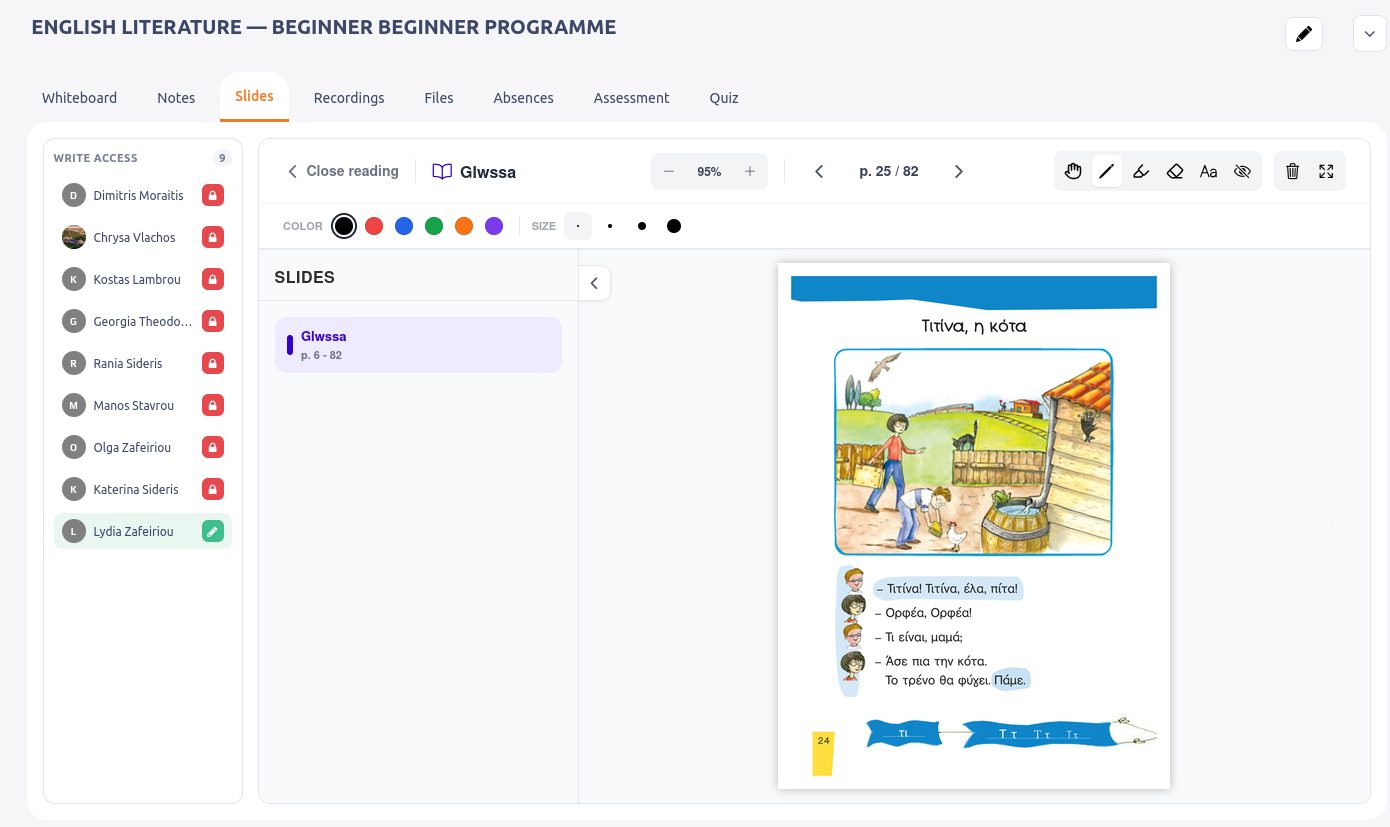
Book and annotation on the whiteboard
AI

AI Chatbot & AI Assistant

Artificial intelligence that supports teachers and learners.

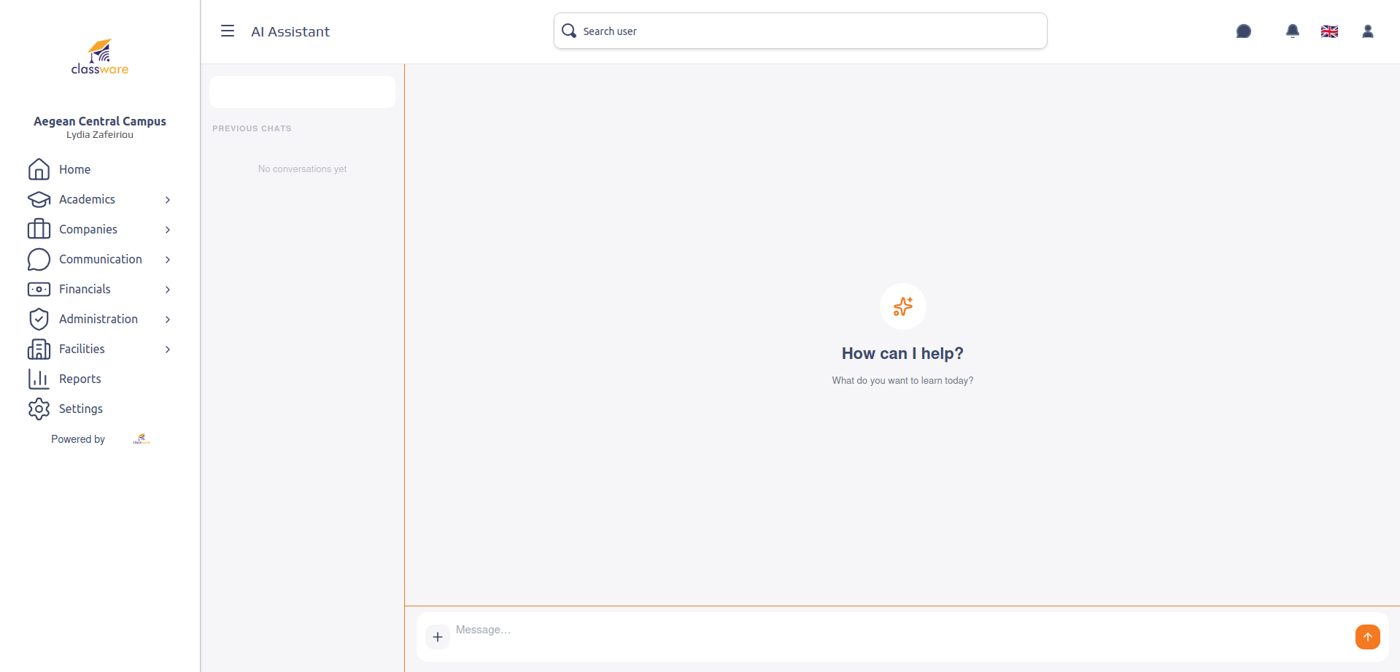
Aristos, Classware’s AI Assistant, helps the teacher prepare lesson plans, questions and exercises. The AI Chatbot answers learners around the clock, based on the class material.
How the AI works

The AI Assistant Aristos
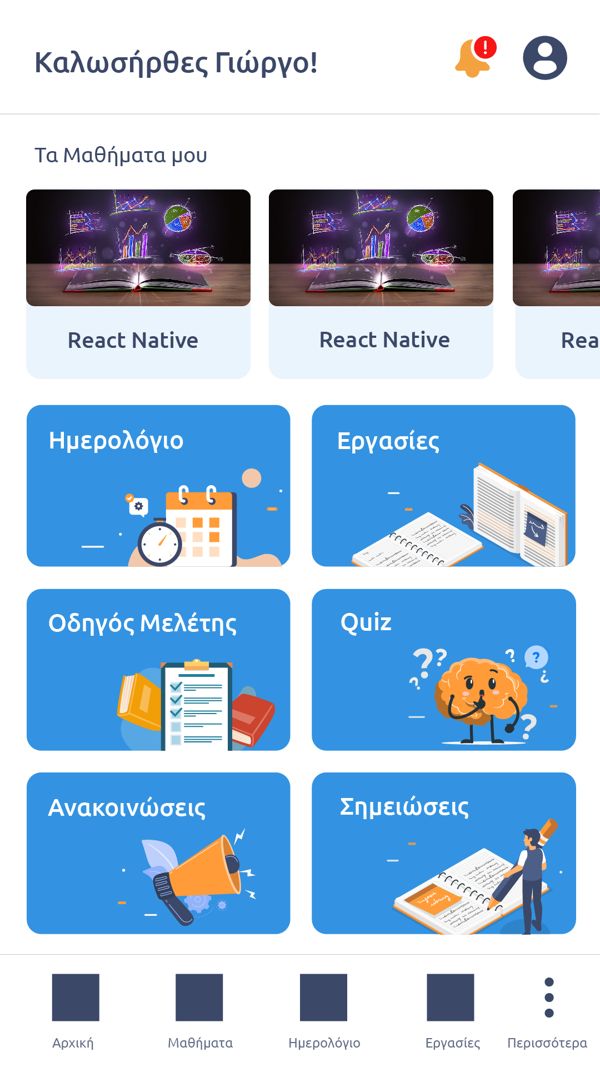
The learner app
The learner app
AI

AI gamification

Interactive games for every age, from a simple request by the teacher.

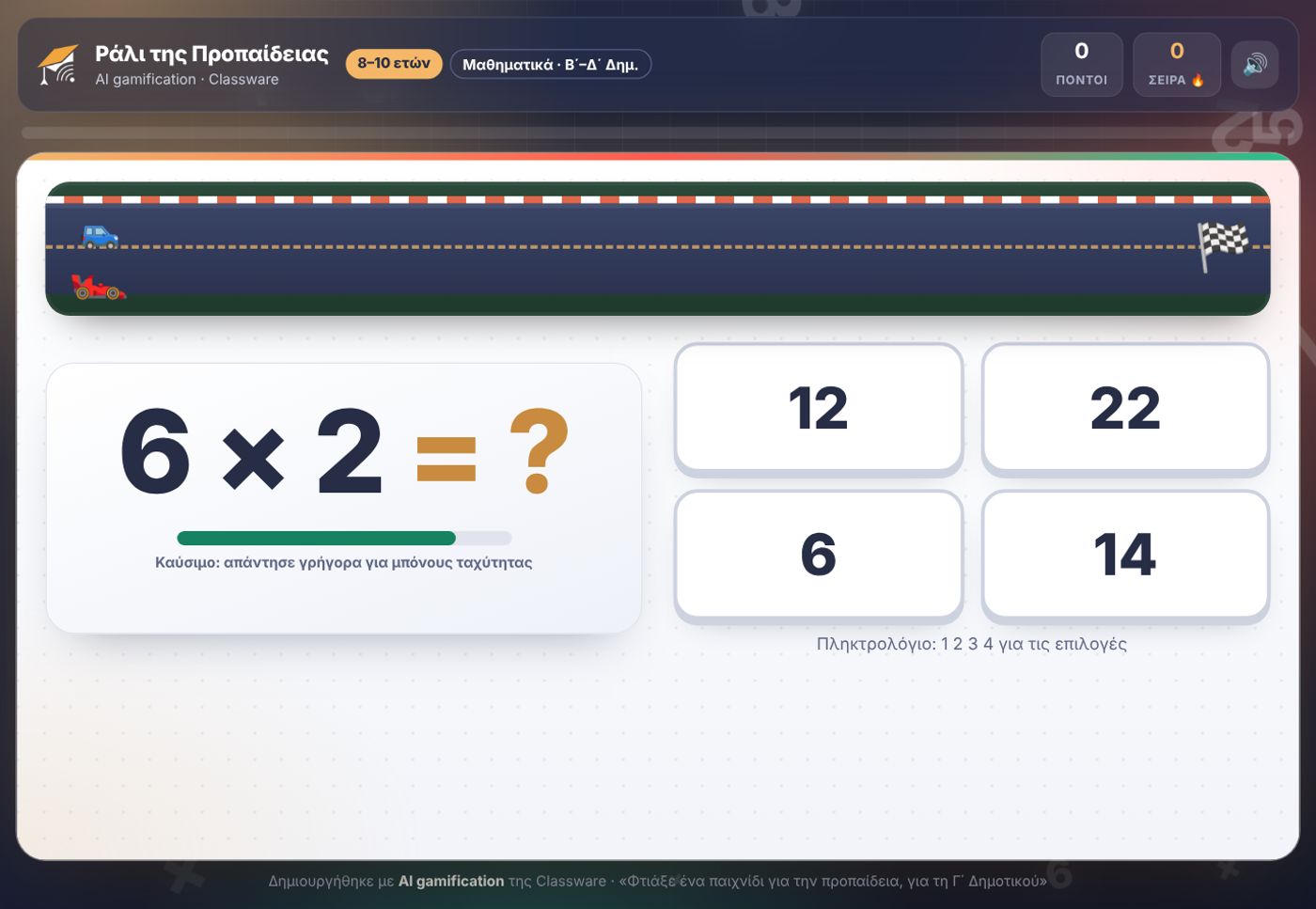
The teacher writes what they want, for example “a times-tables game for 2nd grade”, and gets an interactive game with points for the class. It runs on computer, tablet and phone.
Play a game

Times-Tables Rally
Times-Tables Rally
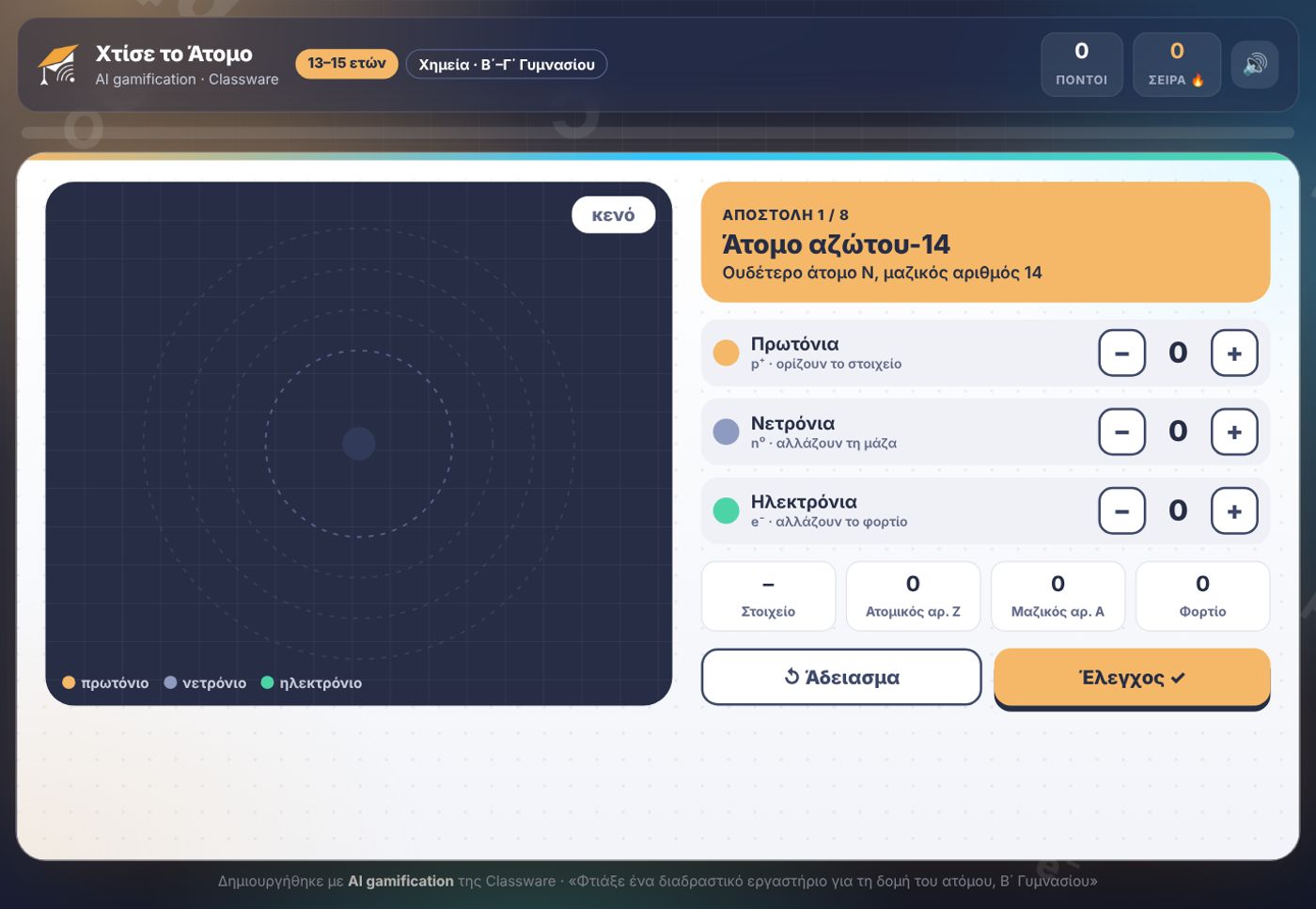
Build the Atom
Build the Atom
AI

Recording & transcription

The lesson becomes material you can use after it ends.

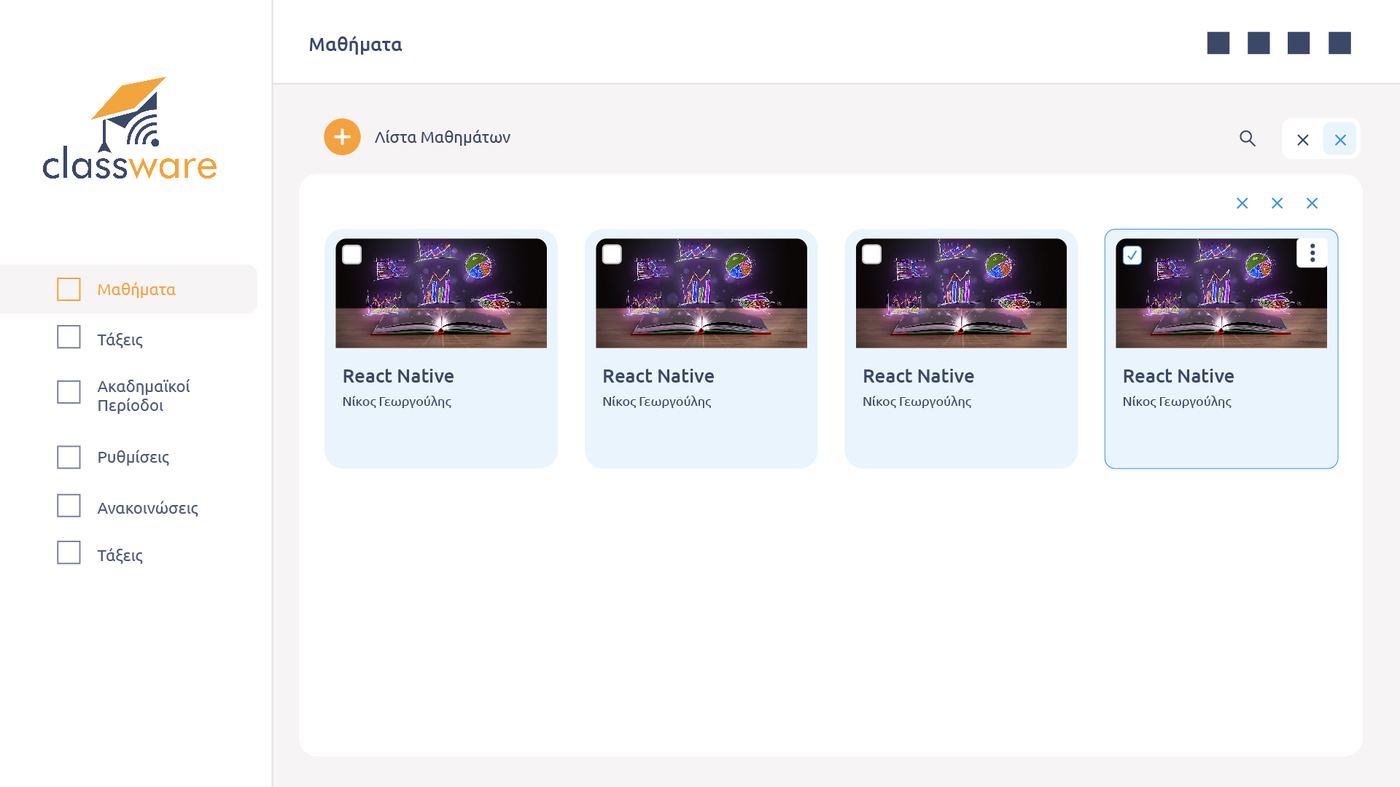
Lessons are recorded and transcribed. Anyone who missed one can watch it or read the summary of key points.
See what the AI does

Video lessons and recordings
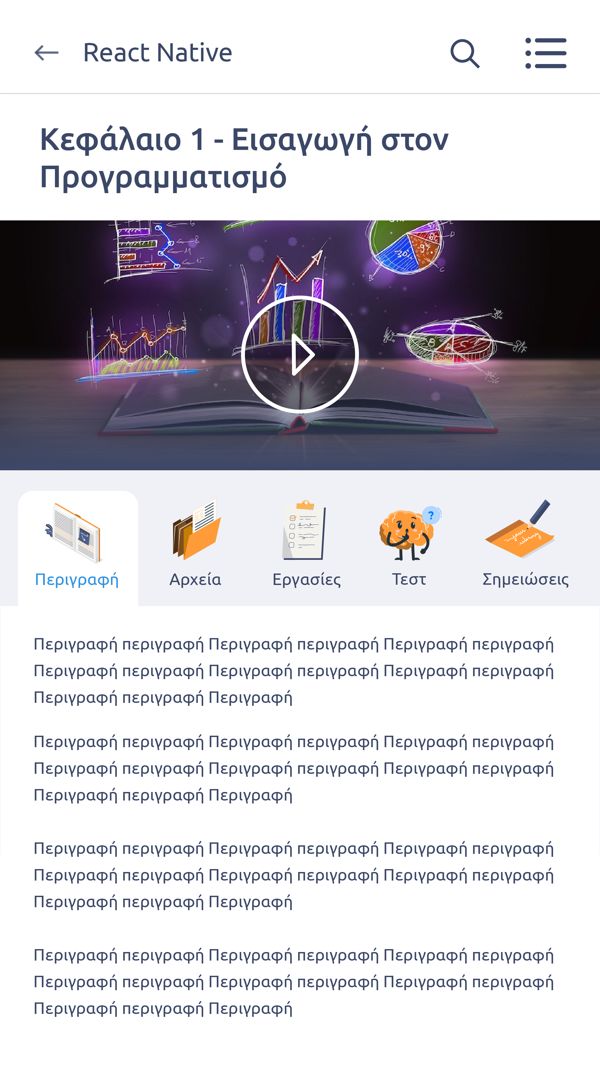
Watching on the phone

Digital books & material

All learning content gathered in the same environment.

Bookware digital books open inside the lesson. Highlighting, notes and material folders for every class, in one place.
The Bookware integration

Digital book open in the lesson
Lesson material on the phone

Synchronous & asynchronous

One system for different teaching models and needs.

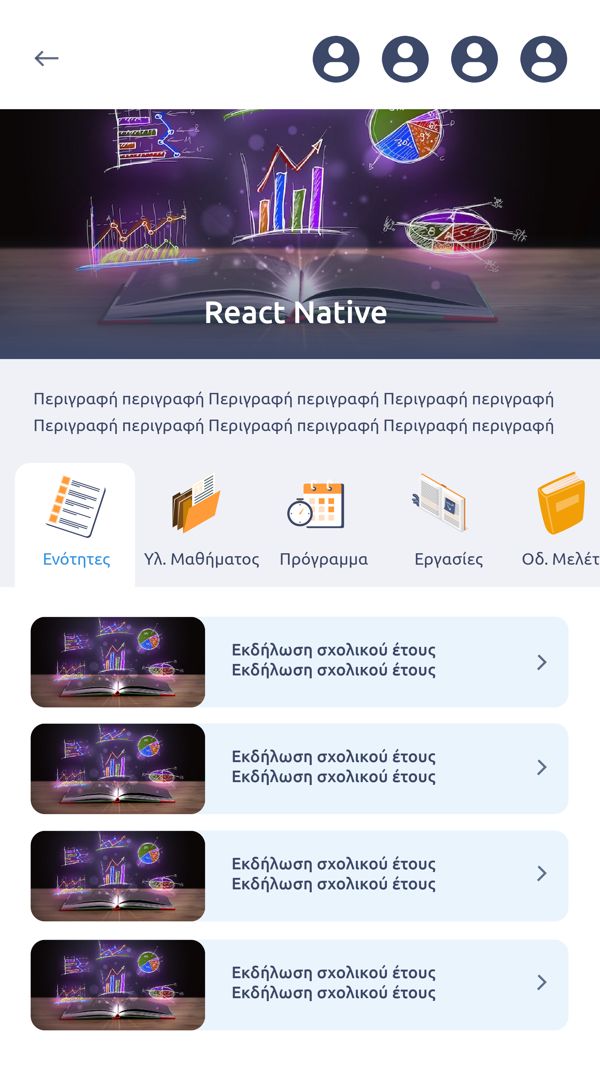
Live lessons and units the learner follows in their own time. The teacher sees everyone’s progress.
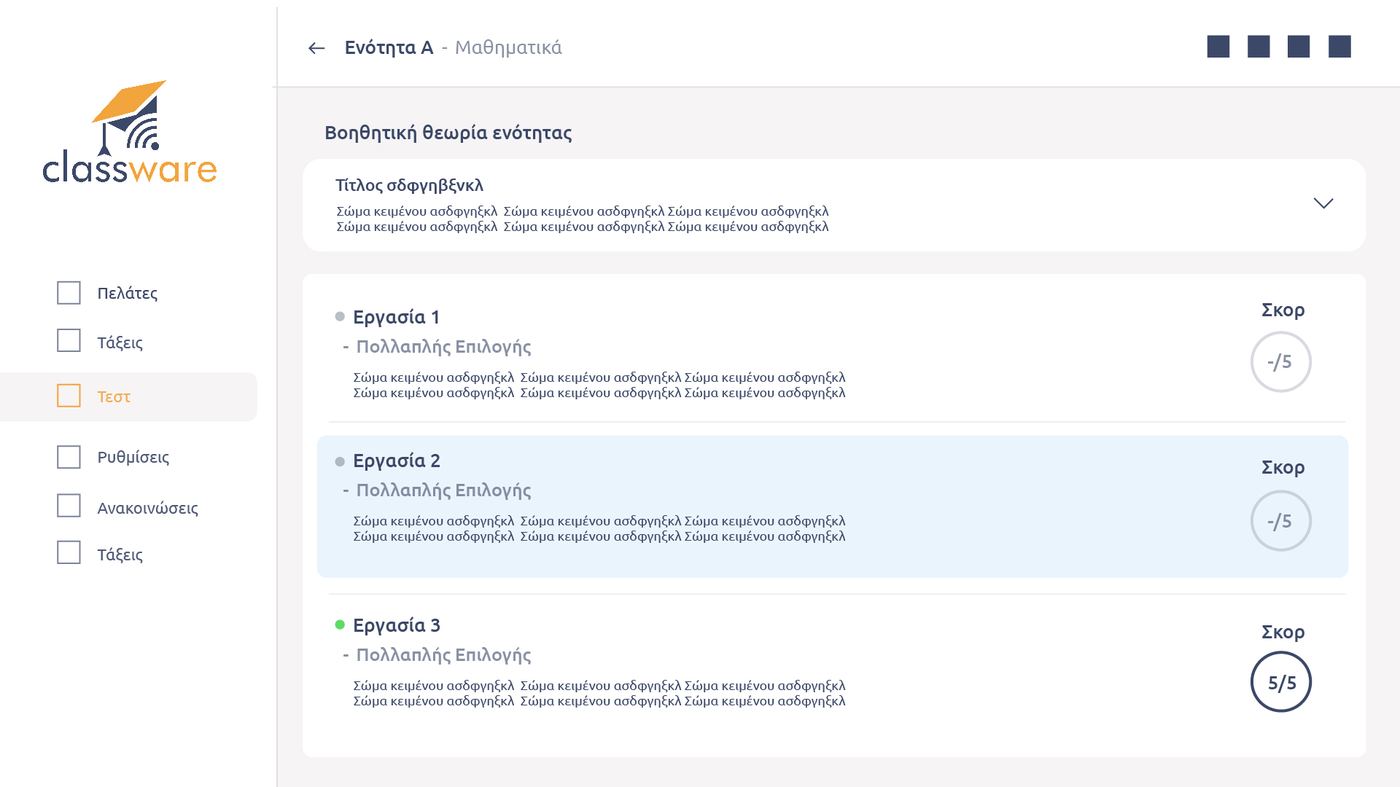
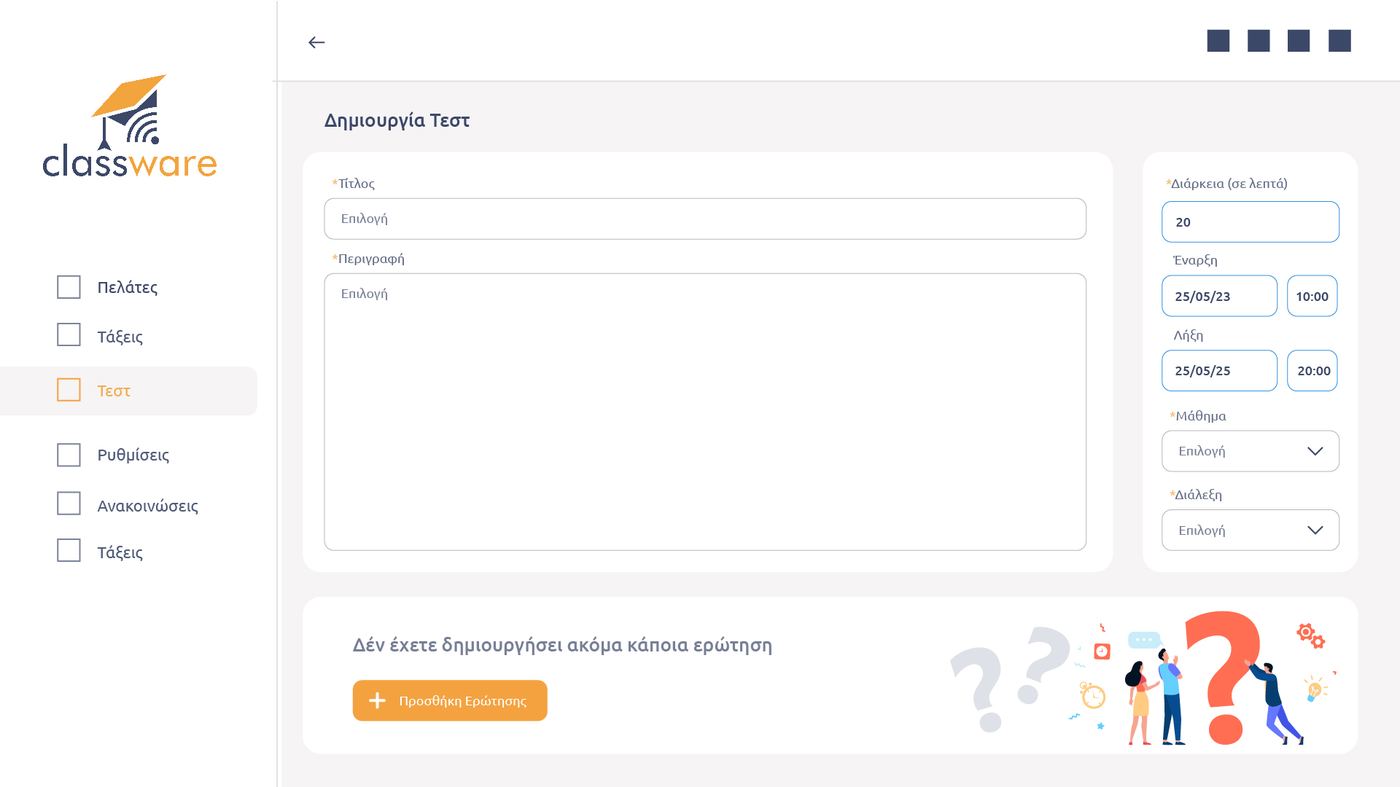
See how they combine

Assignments per unit
Test creation
Test creation
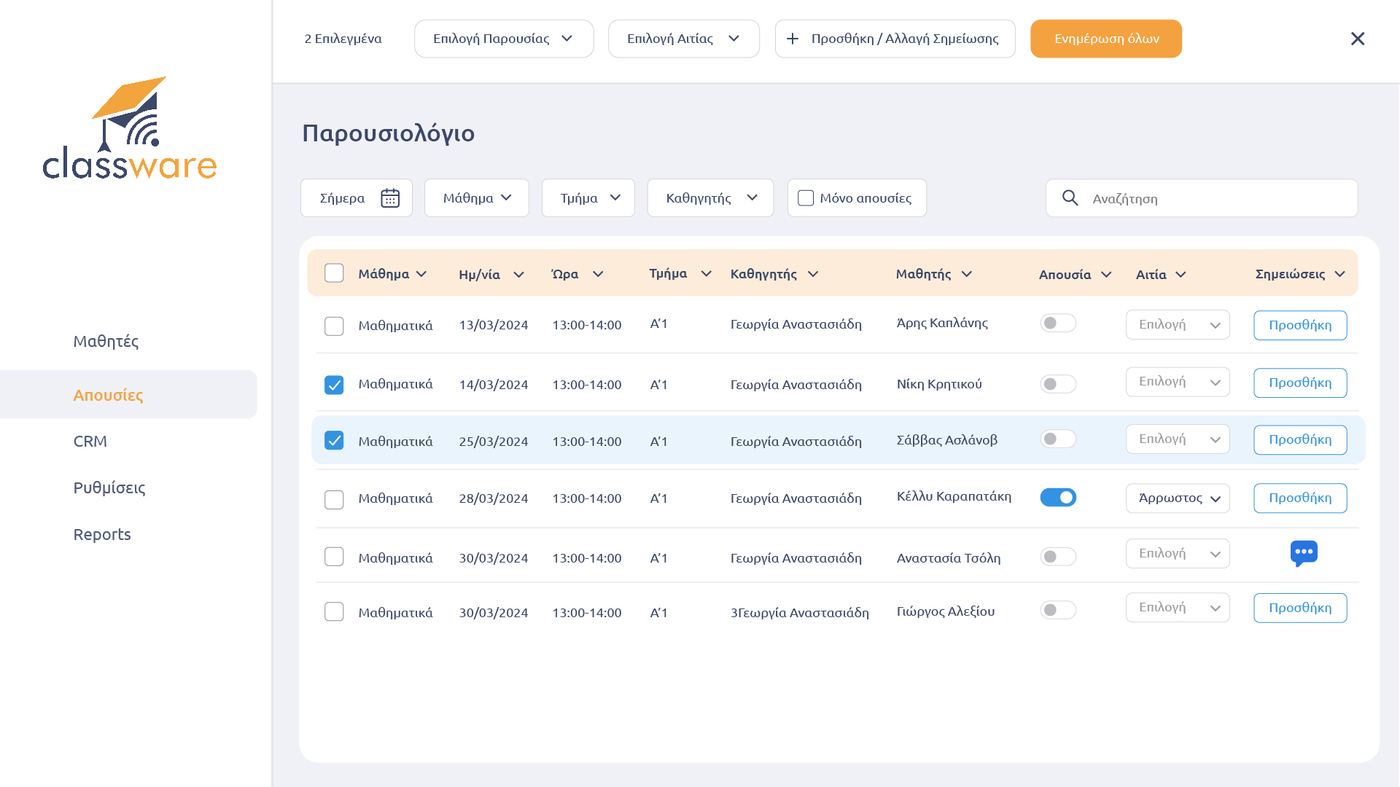
Attendance register
Attendance register

Mobile apps

iOS and Android apps for teachers and learners.

Schedule, live lessons, notifications, books and AI Chatbot on the phone, for iOS and Android. Desktop apps for Windows and Linux are also available.

See the apps

Learner home screen
Learner home screen
Course and units
Course and units
Unit with video
Unit with video

Administration, payments & myDATA

Students, tuition, receipts and schedule, in the same system as the lessons.

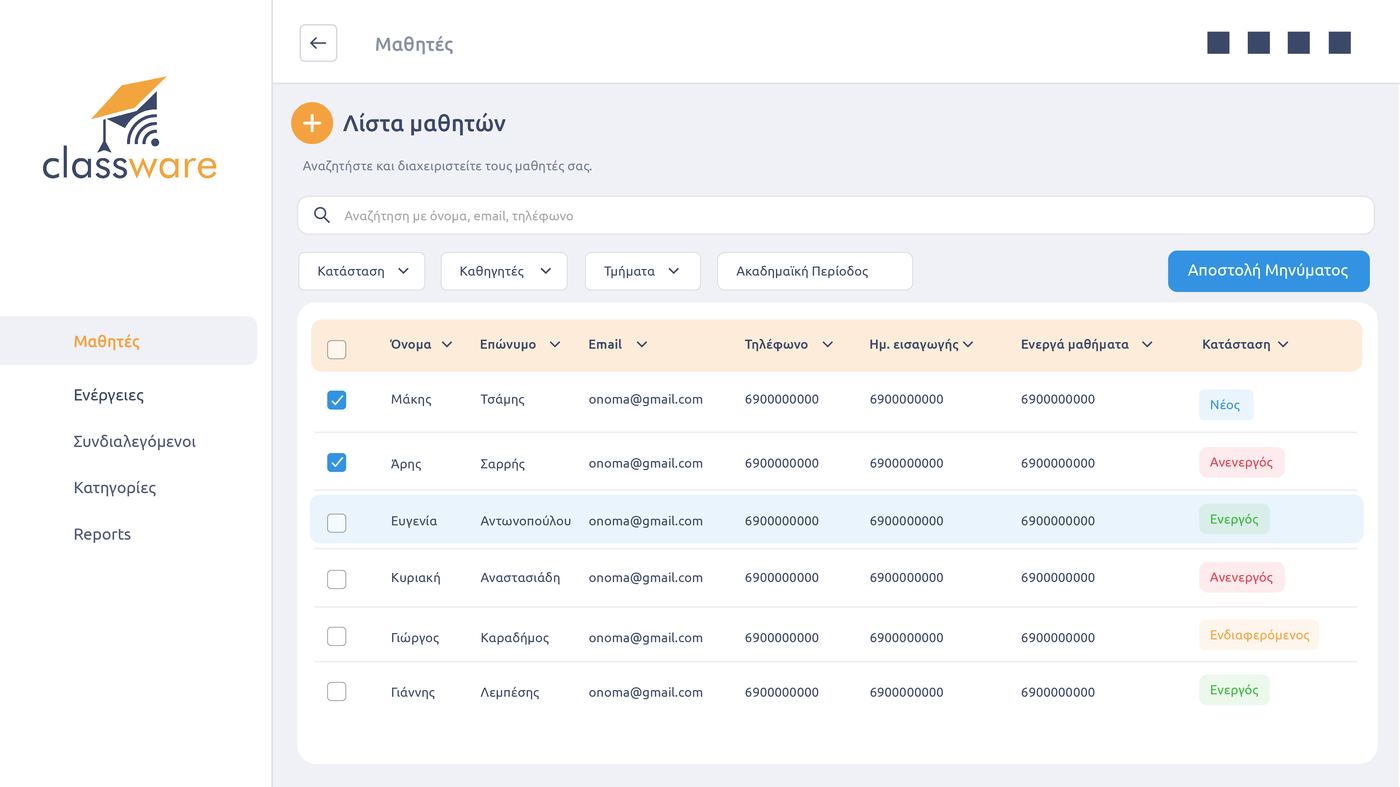
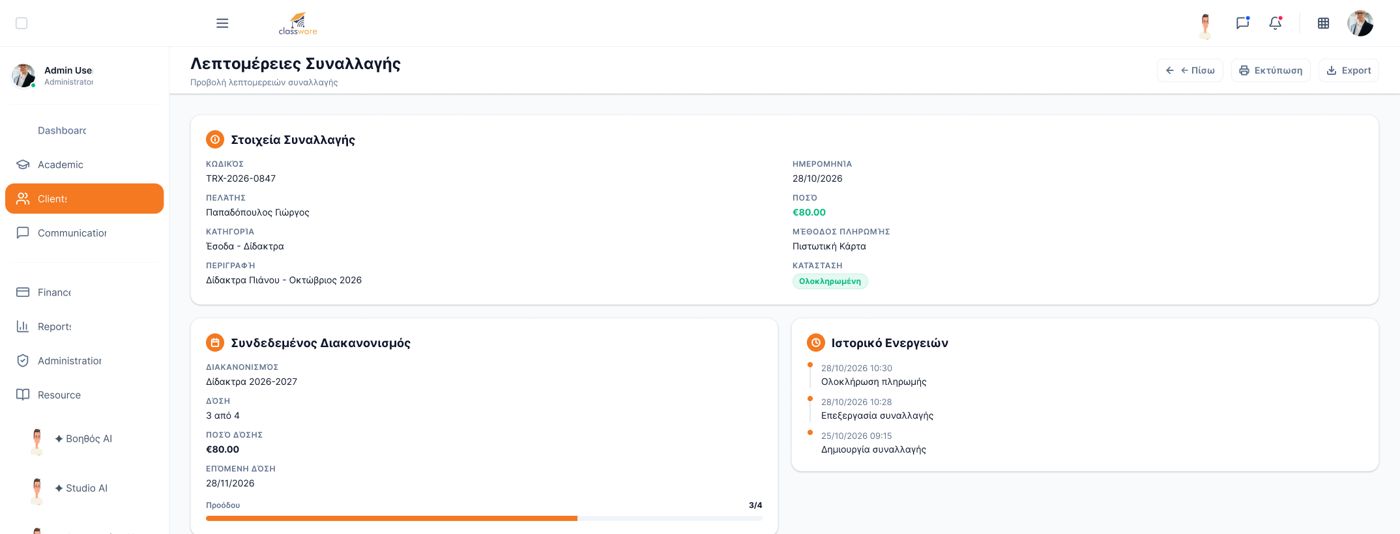
Student and customer register, tuition in instalments, outstanding payments, receipts transmitted to myDATA, rooms and automatic scheduling. All with the same account you teach with.
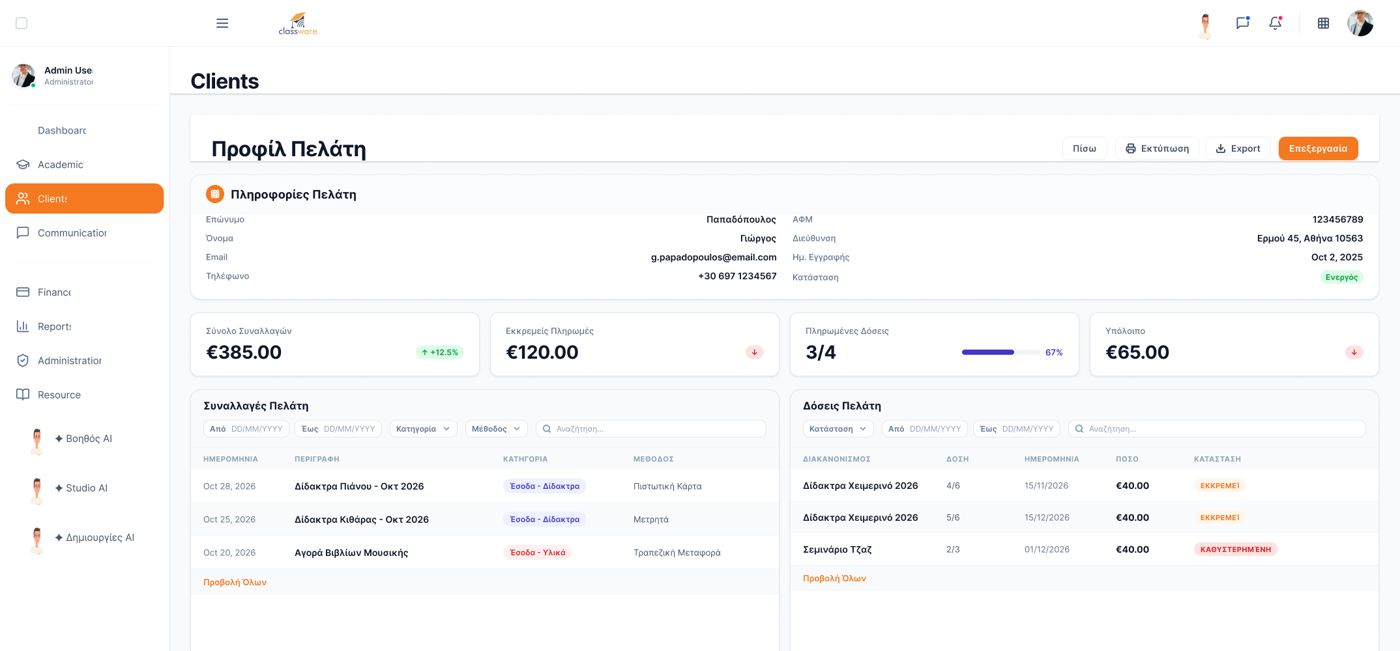
See it in a free demo

Customer profile with instalments and outstanding payments
Transaction details
Transaction details
Student list
Student list
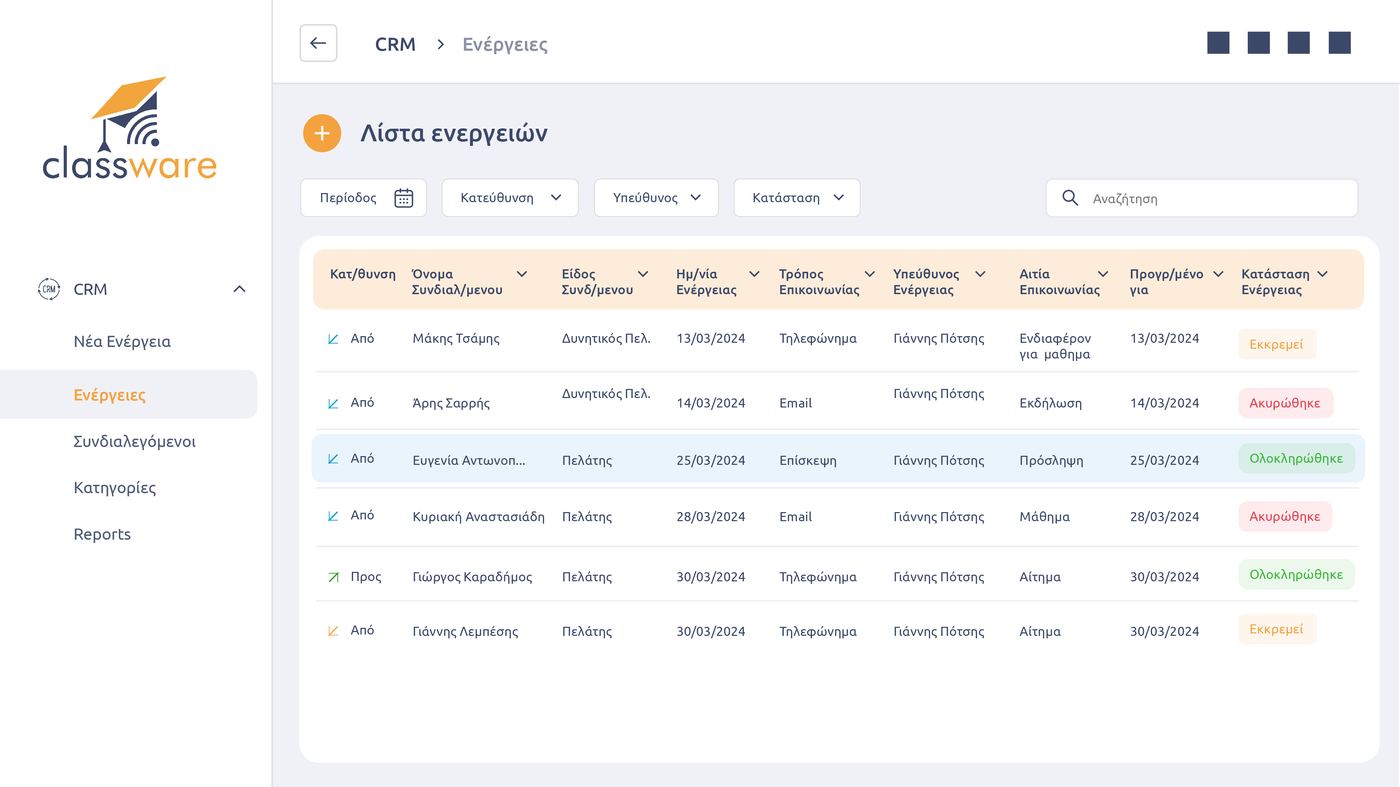
Activity CRM
Activity CRM
Rooms and schedule
Rooms and schedule
Automatic scheduling
✦ Artificial Intelligence in Classware

The teacher teaches. The AI does the time-consuming work.

Artificial Intelligence tools built into the same platform where the lesson happens. They support teachers and learners before, during and after every lesson, with no separate subscription to another tool. At their centre is Aristos, Classware’s digital assistant.

classware teacher class - Classware – Virtual classroom platform

AI Assistant Aristos · Computer Networks

Teacher: Prepare a two-hour lesson plan on IP addressing, with comprehension questions.

Lesson structure in 4 units with timings

Subnet examples for the digital whiteboard

8 comprehension questions with answers

Ready to edit and post to the class

You decide what to use

AI Chatbot · Learner app

Learner: I didn’t understand the difference between a subnet mask and an IP address. Can you give me an example?

An IP address is like the address of a house

The mask shows which part is the “neighbourhood” (network)

Example: 192.168.1.20 with mask 255.255.255.0

Try it: which network does 10.0.5.7/16 belong to?

Answers from the material the teacher has set

AI gamification · Chemistry, 8th grade

Teacher: Make an interactive lab on the structure of the atom.

Virtual lab with protons, neutrons and electrons

8 missions: atoms, ions and isotopes

Points, streaks, stars and badges

Ready for the digital whiteboard or the phone

Use it in the live lesson or as homework

Recording · Accounting, 1:52:00

Teacher: Prepare today’s lesson material for those who missed it.

Full transcription of the lesson

Summary in 6 key points

Timestamps for every section of the recording

10-question review quiz

Available to learners as soon as you approve it

✦ AI gamification · new

One request from the teacher. One game for the class.

Six games for six age groups, from kindergarten to vocational institute. All were created with Classware’s AI gamification. Pick one and play it here.

🧑‍🏫The teacher asked
“Make a game about the alphabet, for children aged 5–7”

Capital and lowercase letters and listening recognition with pictures. Open full screen ↗

🧑‍🏫The teacher asked
“Make a times-tables game for 3rd grade”

A speed race with error review and mental-maths tricks. Open full screen ↗

🧑‍🏫The teacher asked
“Make a spelling game with A1 vocabulary for animals, food and school”

Vocabulary with picture, pronunciation and letters that snap together. Open full screen ↗

🧑‍🏫The teacher asked
“Make an interactive lab on the structure of the atom, 8th grade”

Protons, neutrons, electrons, ions and isotopes in a virtual lab. Open full screen ↗

🧑‍🏫The teacher asked
“Make a timeline game on Modern Greek History, 12th grade”

Sort events into three eras, with dates revealed. Open full screen ↗

🧑‍🏫The teacher asked
“Make a timed subnetting exercise for an IEK network technicians course”

Random IPv4 addresses, a timer and binary breakdown. Open full screen ↗

Instant feedback

Every answer is explained on the spot, with a targeted tip.

Review of mistakes

Whatever the student found hard comes back later to consolidate.

Points, streaks, badges

Motivation without stress: streak bonuses, stars and badges.

Results in the platform

Score, accuracy and time go straight to the class.

HYBRID CLASSROOM

All students on the same whiteboard, wherever they connect from.

Students in the classroom and students joining remotely take part equally in the same lesson. They write on the interactive whiteboard, play the AI games and compete in real time.

In distance learning, the student goes from passive viewer to active participant.

Live lesson · 24 students
Interactive whiteboard · Physics, 7th grade
Put the planets in the right order from the Sun
AI gamification
MercuryMaria K.
VenusNikos P.
EarthEleni A.
MarsGeorge S.
96%participation
87%correct answers
6,2secaverage response time
14 in the classroom10 remotely
Live leaderboard● live
Maria K.
120
Eleni A.
110
Nikos P.
95
George S.
90
What your students and organisation gainFrom viewer to participant, and new markets without new classrooms

For the student: from viewer to participant

For the organisation: new markets, without new classrooms

Your classes can fill with students you could not serve until now. No major investment, with high-quality, modern teaching.

Remote areasIslandsGreeks living abroadStudents in other citiesWorking adults

Your classroom, on every phone

Apps for iOS and Android, and desktop apps for Windows and Linux. Learners join live lessons, watch recordings, read digital books and ask the AI Chatbot, wherever they are.

For learners

Schedule, live and asynchronous lessons, digital books and an AI Chatbot that answers around the clock.

Live lesson on the phone

Video conferencing, digital whiteboard and chat on one screen, without a separate e-learning app.

For teachers

Start lessons, class attendance, recordings and AI Assistant, always at hand.

Integration with BookwareDigital books come into the classroom and onto the digital whiteboard

Integration with Bookware. Digital books come into the classroom.

All learning content gathered in the same environment. If you publish or use digital material through Bookware, Classware brings it straight to your classes.

FROM THE BLOG

Guides for the modern classroom

YouTube · @classware8018

See Classware in action

    FREQUENTLY ASKED QUESTIONS

    What people usually ask before they start

    Answers to the most common questions from vocational institutes, schools and tutoring centres. For anything else, we are one phone call away.

    Didn’t find the answer?

    Ask us directly and we’ll get back to you.

    That is the goal. Video conferencing, digital whiteboard, asynchronous learning, material and AI are in one environment. In the demo we look together at which of your current tools it covers. See all features.

    No. Video conferencing and the digital whiteboard are built in, both in the browser and in the mobile apps. See the video conferencing.

    Students in the classroom and remote students join the same lesson and the same interactive whiteboard. Everyone can write, answer and take part in the AI games in real time. See the hybrid classroom.

    The teacher describes the topic, age and goal in plain words. AI gamification builds the game, the teacher reviews it and assigns it to the class or plays it live on the whiteboard. Play one of the games.

    No. The AI Assistant speeds up preparation, the AI Chatbot supports learners outside the lesson, and the teacher decides what gets used. See how Aristos works.

    You enable the connection and assign digital books to classes. Learners sign in with the same account, and the books are also available on the digital whiteboard. More about Bookware.

    Yes. There are apps for iOS and Android, as well as desktop apps for Windows and Linux. The platform also runs in the browser. See the apps.

    Yes, the demo is free and with no commitment. We show you the platform around your own needs and answer anything you ask. Request a free demo.

    Try Classware for free

    Request a free demo or contact us. Whether you are a vocational institute, school, tutoring centre or language school, we show you how Classware works in your own organisation. From there:

    1. Free demoWe show you the platform around your own needs.
    2. SetupClasses, teachers, students and material move into the platform.
    3. Team trainingShort sessions for administrators and teachers, in Greek.
    4. Go liveEverything runs from one place and the old tools are retired.
    Request a free demoFill in your details and we will call you.
    Free · no commitment

    See Classware in your own organisation

    • We show you the platform with examples from your field
    • Video conferencing, AI assistant, games and administration at a glance
    • Support in Greek
    Or call us+30 218 218 7770

    Request a free demo

    Leave your details and we will call you to arrange a short presentation.