
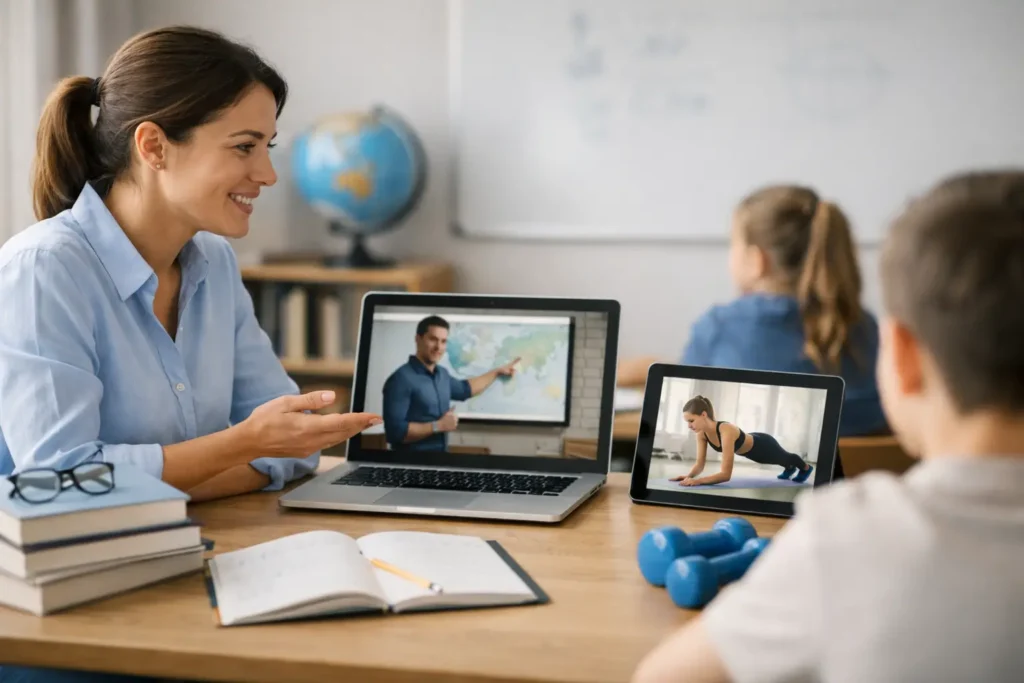
A video that is simply “uploaded” to the platform is rarely enough to support real learning. The critical question is not only how to combine video and exercises, but how to turn watching into an active process of understanding, application and feedback. When video and activity work as one path, students know what to pay attention to, why they are studying it and how they will use the knowledge right afterwards.
For schools, universities, tutoring centres and independent teachers, this connection improves both the student experience and the organisation of the course. The teaching team can offer a clear structure, track progress and spot early where extra support is needed.
Why video needs exercises
Video explains, shows processes and gives visual context. It is especially useful when the learner needs to see an experiment, the solution of an equation, the pronunciation of a word or the steps of a practical task. However, watching can easily create the impression that the material has been understood, without that always being true.
Exercises act as a checkpoint. They ask the student to recall information, take a position, apply a rule or spot a mistake. That way, the teacher does not assess only the final result. They see whether the student followed the logic of the topic and is ready to move on.
The right balance depends on the learning objective. In a short revision lesson, a two-minute video and three targeted questions may be enough. In a complex physics or programming unit, you need intermediate stops, application exercises and activities that allow mistakes, correction and another attempt.
How to combine video and exercises in a clear learning flow
Effective design starts before you record or choose the video. First define what the student should be able to do by the end of the unit. “Understand recycling” is general. “Identify three materials that can be recycled and justify the choice” gives clear direction for both the content and the exercise.
Then organise the path into three parts: preparation, active watching and application. The video then does not stand isolated among files and announcements, but becomes an integral part of the course.
Before the video: give a purpose
A short question before viewing activates existing knowledge. It can be a prediction, a multiple-choice item or a small problem. For example, before a video on fractions, ask students to compare two simple quantities and explain their thinking.
This opening activity does not need to be marked strictly. Its aim is to create attention and give the teacher a first picture of possible misconceptions. If the unit is for younger children, the instruction should be short and specific. For older students or university students, it can include a real scenario to be answered after the video.
During the video: break up passive watching
A ten- or fifteen-minute video without any interaction can strain concentration, especially on mobile devices or in asynchronous study. Split the content into shorter segments and place a short activity after each key idea.
Not every pause needs to be a quiz. You can ask the student to note an example, choose the next step of a process or write a question to discuss in the live session. Variety keeps interest up and offers different ways to take part.
For a video that presents problem solving, a particularly effective technique is to pause before the solution. Show the problem, ask students to suggest the next step and then continue with the explanation. The exercise does not simply come after teaching. It becomes part of it.
After the video: ask for application, not memorisation
The final quiz is useful, but it should not be limited to questions that repeat words from the video. Prefer exercises that ask students to transfer knowledge to a new example. If the video explains a grammar rule, the activity can ask them to correct a sentence. If it presents a biology concept, the student can relate the concept to an everyday phenomenon.
In more complex units, add an open answer or a small-scale assignment. An open activity gives a better picture of the student’s thinking, but it takes time to give feedback. So it is not needed in every lesson. It can be used at the points where reasoning, creativity or problem solving matter most.
Choose the exercise according to the objective
The format of the exercise should serve the skill you want to develop. Multiple-choice questions help with a quick understanding check, as long as the alternative answers are based on real possible misconceptions. Matching is suitable for terms, concepts and stages. Fill-in-the-gap exercises can strengthen recall, while open answers are better when you want justification.
To check whether the combination of video and activity is working, watch four simple signs:
- the video completion rate,
- answers to the comprehension questions,
- the time the class needs for the exercise,
- recurring mistakes by question or unit.
This data should not be treated as mere numbers. If many students stop at the same point or choose the same wrong answer, the video probably needs a clearer explanation, a better example or a small preparatory activity.
Create continuity in one digital classroom
The learning experience becomes more stable when the video, exercises, results and communication are in the same environment. The student does not have to search for material in different apps and the teacher does not lose time moving information from system to system.
A unified platform like Classware can organise the unit’s material, connect videos with quizzes and assignments, support live meetings and give mobile access. This continuity matters especially in blended learning: the student prepares asynchronously, comes to the live session with specific questions and continues with targeted practice.
Automated feedback is useful for exercises with a clear right answer. It gives immediate guidance and allows new attempts without delay. For assignments that require judgement or creative thinking, the teacher’s personal comments remain irreplaceable. Technology speeds up the flow, but it does not replace the teaching decision.
Design for accessibility and real conditions
The quality of the combination is not judged only by the content. It is also judged by whether every student can use it. Add subtitles, clear audio and short written instructions. Give enough time for activities and avoid relying on colours or very fast visual changes alone for understanding.
Think about access conditions as well. A very large video file can be difficult for students with a limited connection. Short videos organised into units are often more practical than one long lecture. Where needed, accompany the video with key notes so learning does not depend solely on viewing.
Avoid the usual pitfalls
The most common mistake is adding a quiz at the end just because “there has to be an assessment”. If the questions are not linked to the video’s objective, students see them as an obstacle rather than help. Too much quantity is just as problematic: many videos, many questions and multiple deadlines can reduce participation instead of increasing it.
Also avoid using exercises only for grading. A low-stakes activity that can be repeated encourages students to try. Graded assessment has its place, but it should come after there have been opportunities for practice and feedback.
Every video can become a reason to take part, as long as it comes with the right question at the right moment. Start from a clear objective, test the flow with a small unit and let students’ answers show you what the next step is.